Let’s face it, the desktop can be a boring place, especially if you spend hours every day staring at it while you work. However, desktop idlers are here to save the day. While they may prove a little distracting, they definitely liven up the place and add some much-needed life to your screen.
Desktop idlers are designed to be the dream of any multitasker. They usually sit at the bottom of the screen, although some have the option to be placed at the side as well, and run in the background while you work, for the most part. They differ from desktop buddies, needing a lot more interaction, but that does present the perfect excuse to take regular breaks from more taxing on-screen duties.
Admittedly, desktop idlers can seem intrusive if you only have a single screen on which to work and multiple windows open at a time. However, if you’re hyper-focused on one window or have multiple screens, they’re great.
Here are six desktop idlers worth donating a chunk of your screen to.
Cozy Littlequarium

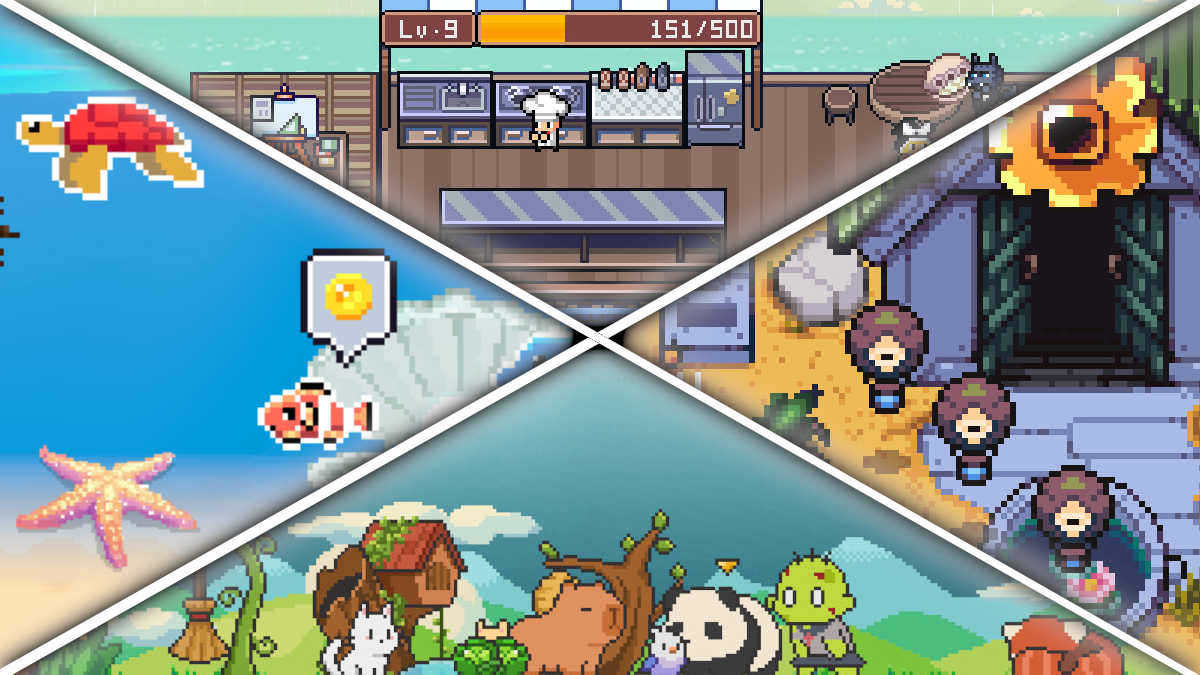
Cozy Littlequarium puts a virtual fish tank at the bottom of your screen, and you purchase fish and decorations to put into it. You feed the fish, they grow, and then you breed them. You can sell the fish for profit once they’re fully grown, or allow your fish tank to fill up and enjoy the sight of your aquatic friends swimming around while you work.
Honestly, I’ve always been the type of person who could spend hours watching fish swim. I love aquariums, and even the fish section of the local pet store, because fish are undeniably calming to watch. If you’re in the same boat, Cozy Littlequarium might prove a little too distracting, but it’s absolutely adorable, and the transparency of the water helps to make it feel like it takes up less space than it does.
Not Monday Cafe

Not Monday Cafe feels like a cross between an idler and a farming sim, in that you have a cafe that runs itself, but you also need to be on top of crops to make sure you have ingredients to make the products that the cafe sells. It’s packed with customization options, once you start raking in the cash from your virtual patrons, and undeniably cute.
Thankfully, when compared to other desktop idlers, Not Monday Cafe offers options if you feel like it’s too obtrusive by default. Not only is it kept to the bottom of the screen, but you also have the option to turn off the sky and walls, so that only the most vital parts are displayed, such as crops, workers, and visitors to the cafe.
Fish to Dish

If you enjoyed Dave the Diver, and the whole ‘fishing to make sushi’ gameplay loop, then Fish to Dish is going to be right up your alley, and you don’t need to find dedicated time to play it. You can upgrade your rod to find new and better fish, then sell them to hungry customers for a profit.
The best thing about Fish to Dish is that it’s not locked to the bottom of your screen, as most idlers are, and you can essentially turn it into a desktop buddy in its own right. That means you can have Word open and be fishing at the side of the page, without the need to mitigate lost screen space at the bottom.
Tiny Pasture

Tiny Pasture places small pixel animals at the bottom of your screen, creating your very own menagerie of critters that run along your taskbar. There’s everything from Red Pandas to actual Pandas, and even some ghosties that appear from time to time. You can give them gifts to brighten their day, and in turn, they become the gift that brightens all your days.
Any money earned from the critters that you currently have can then be spent to get new critters for your rag-tag collection. If you have two animals of the same type, you can put them behind the ‘Mystery Curtain’ and have them breed new ones. You can also have more than one pasture, if you want to visit a new bunch of animals.
Best of all? You can adjust the length of Tiny Pasture and move it anywhere on the screen, so even if you only feel like seeing a tiny segment of your virtual zoo, you can have it available at all times without it getting in the way too much. Tiny Pasture is easily the least obtrusive of all the idlers on this list.
Rusty’s Retirement

If you want a farming sim without the effort of actually playing a farming sim, then Rusty’s Retirement is pretty much the perfect idler for your desktop. It can be placed either horizontally along the bottom of your screen or vertically down the side, so it’s very versatile and easy to adjust to your preferences.
In Rusty’s Retirement, Rusty will plant, water, and harvest crops without too much input from you, and you’ll unlock new and more valuable crops as you progress. If you’re a streamer, you can also get your chat involved with Rusty’s Retirement, allowing them to control their very own robot, guiding it to certain tasks through chat commands.
Milly’s Meadow

If you’re the type of person who finds motivation comes easier with lo-fi beats playing i n the background, then I strongly recommend downloading an adorable desktope idler by the name of Milly’s Meadow. The demo is available to download through Steam, and while features of it are limited, it does offer a lo-fi backdrop to boost your productivity.
Milly is a deer and she is, without a doubt, the most adorable character of any of the idlers featured on this list. She goes about her business: Raking leaves, relaxing in her deck chair, or otherwise just pottering about the garden, while you do other things. Best of all, if you click on her, she’ll give you a cute little wave.
Milly’s Meadow can be made bigger or smaller, depending on how much screen space you need for other things. Big or small, she’ll earn a place in your heart.
Leave a Reply